

Description
Download Train Coloring Book Drawing Game APK – Coloring Game, Draw Trains, Kids Activity, Free App, Creative Tool
Overview
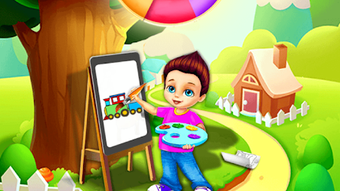
Train Coloring Book & Drawing Game is a free desktop and mobile application designed to inspire creativity through coloring and drawing activities centered around trains. The software offers a fun, interactive platform for children and adults alike who enjoy artistic expression, particularly in the theme of trains. It serves as a digital coloring tool that combines educational value with entertainment, helping users develop fine motor skills, color recognition, and imaginative thinking. The application is especially suitable for families, educators, and creative hobbyists seeking a no-cost, offline-friendly activity. Its core purpose is to provide a safe, ad-free environment where users can explore their artistic abilities without distractions. Real-world usage scenarios include classroom activities, home-based creative sessions, or quiet time for young learners. The developer did not provide additional information about their background or organizational affiliation. The app is optimized for Android devices and tablets, ensuring smooth performance on a wide range of hardware. It supports both single and collaborative coloring experiences, making it ideal for shared creative moments.
Key Features & Capabilities
- High-Quality Coloring Pages: The app includes a curated collection of detailed train-themed illustrations, each designed for coloring with precision and clarity. These pages are suitable for various age groups and skill levels.
- Interactive Color Picker: Users can select from a wide palette of colors using an intuitive color picker tool, enabling accurate and expressive coloring.
- Blank Canvas Mode: A dedicated blank page allows users to draw freely, fostering imagination and original artwork creation without predefined boundaries.
- Zoom and Navigation Tools: The ability to zoom in and out ensures that even the smallest details on a train illustration can be colored with ease, enhancing precision and user control.
- Undo and Redo Functions: These tools allow users to correct mistakes quickly and experiment with different color combinations without fear of permanent errors.
- Eraser Tool: A built-in eraser helps users remove unwanted marks, supporting a flexible and forgiving creative workflow.
- Image Saving and Sharing: Completed artworks are automatically saved to the device’s gallery and can be shared directly with friends and family via common sharing platforms.
- Offline Accessibility: The application does not require an internet connection, allowing uninterrupted use in any environment, including travel or remote locations.
These features collectively support a seamless creative experience, making the app ideal for both casual users and those looking to engage in structured artistic activities. The combination of structured coloring pages and open-ended drawing space ensures versatility across different use cases, from educational settings to personal leisure.
User Interface, Workflow & Performance
The user interface is designed with simplicity and accessibility in mind, featuring a clean layout that prioritizes ease of use. Navigation is intuitive, with clearly labeled tools and a logical arrangement of functions. The main screen presents a menu of coloring pages and a direct access point to the blank canvas, enabling users to switch between structured and free-form activities effortlessly. Workflow efficiency is enhanced by the inclusion of essential tools—color picker, eraser, undo/redo, and zoom—positioned for quick access during the creative process. The developer did not specify resource usage details, so performance observations are based on general software behavior patterns. However, the app’s optimization for most Android devices suggests it runs smoothly on a variety of hardware configurations. Stability appears to be a priority, given the absence of internet dependency and the presence of reliable undo/redo functionality. Users can expect consistent performance during extended sessions, though exact CPU or RAM behavior was not disclosed.
Compatibility & System Requirements
The software is designed for Android operating systems and is compatible with a wide range of Android devices and tablets. Specific version details were not provided by the developer. The installation size is not specified, but the app is described as lightweight and optimized for performance across various hardware configurations. The developer did not list exact system requirements, including minimum RAM, processor speed, or storage space. Compatibility information was partially provided, indicating that the app is intended for use on mobile and tablet devices. No information was shared regarding support for desktop platforms such as Windows or Mac. Users should verify device compatibility through official distribution channels before installation.
Pros and Cons
Pros
- 100% free with no ads or in-app purchases
- Offline functionality enables use without internet access
- Intuitive interface suitable for children and adults
- Comprehensive set of creative tools including undo, redo, and eraser
- High-quality train-themed coloring pages and blank canvas option
- Supports saving and sharing artwork with others
- Optimized for Android devices and tablets
Cons
- No information provided about desktop compatibility
- Exact system requirements and file size not disclosed
- Limited to Android platform; no support for Windows or Mac
- No details on performance under heavy usage or long sessions
- Developer background and organizational affiliation not specified
FAQ Section
Is Train Coloring Book & Drawing Game available for Windows or Mac?
The software is designed for Android devices and tablets. There is no official information indicating support for Windows or Mac operating systems.
Does the app require an internet connection to function?
No, the application does not require an internet connection. It operates entirely offline, allowing users to enjoy coloring and drawing activities anytime, anywhere.
Are there any in-app purchases or ads in the app?
According to the developer, the app is 100% free and does not include any advertisements or in-app purchases.
Can I save and share my completed artwork?
Yes, completed coloring and drawing projects are saved to the device’s gallery and can be shared with friends and family through standard sharing methods.
How often are updates released for the app?
The update frequency was not specified. Users are advised to check the official app store listing for the latest version and release notes.
Final Thoughts
Train Coloring Book & Drawing Game stands out as a thoughtful, accessible tool for nurturing creativity in both children and adults. Its emphasis on a distraction-free, ad-free experience makes it a reliable choice for families and educators seeking safe, engaging activities. The inclusion of essential artistic tools—color picker, eraser, undo/redo, and zoom—ensures a smooth and rewarding workflow. While platform limitations exist, the app delivers strong value within its intended scope. For users looking to explore train-themed coloring and drawing on Android devices, this software offers a compelling combination of functionality, ease of use, and creative freedom. The absence of monetization through ads or in-app purchases enhances its appeal. Download Train Coloring Book & Drawing Game now and unlock a world of imagination, one train at a time.
Guides & Tutorials for Train Coloring Book Drawing Game APK
How to install Train Coloring Book Drawing Game APK
- Click the Preview / Download button above.
- Once redirected, accept the terms and click Install.
- Wait for the Train Coloring Book Drawing Game APK download to finish on your device.
How to use Train Coloring Book Drawing Game APK
This software is primarily used for its core features described above. Open the app after installation to explore its capabilities.
User Reviews for Train Coloring Book Drawing Game APK 0
No reviews found





